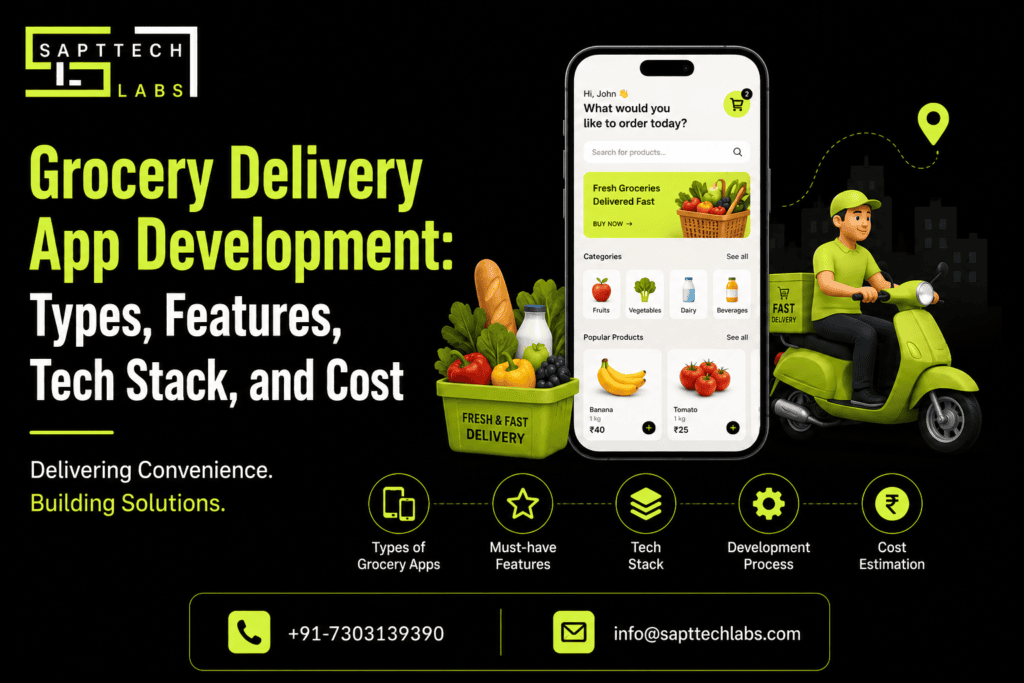
Grocery Delivery App Development: Types, Features, Tech Stack, and Cost
Picture this: someone opens an app, tosses fresh veggies, milk, snacks, and a bag of dish soap into a cart, pays in two taps, and watches their order move toward them on a map — all without ever setting foot in a store. That's the whole appeal of grocery delivery apps, and it's why so many supermarkets, grocery chains, and ambitious startups are racing to build one.
But before you jump in, you're probably asking the obvious questions: What will this actually cost? What features do I really need? Which tech stack makes sense? And how long is this going to take? Let's get into it.
Quick Snapshot
Aspect | Overview |
App Types | Single-store, marketplace, aggregator, quick-commerce, subscription |
Main Users | Customers, vendors, delivery partners, administrators |
Core Features | Product search, cart, checkout, payments, tracking |
Advanced Features | AI recommendations, route optimization, loyalty, subscriptions |
Platforms | Android, iOS, Web |
Common Technologies | Flutter, React Native, Node.js, Python, PostgreSQL, MongoDB |
Development Time | Roughly 3–12+ months |
Estimated Cost | Roughly $20,000–$100,000+, depending on scope |
So What Does "Grocery Delivery App Development" Actually Mean?
At its core, you're building a platform where customers browse products, place orders, pay, and get things delivered. But behind that simple customer experience sits a whole ecosystem: the customer app, a delivery partner app, a vendor dashboard, an admin panel, a backend and database, payment processing, order management, inventory tracking, and location services. All of these pieces need to talk to each other in real time — that's really where the complexity hides.
Book A Free Consultation!
Why Bother Building One in The First Place?
Because grocery shopping has quietly gone digital, and customers now expect convenience, flexible delivery windows, and easy product discovery as the default, not a bonus. A well-built app lets a business sell around the clock, automate order handling, keep tabs on deliveries, and — maybe most importantly — turn one-time buyers into repeat customers through loyalty perks and personalization. For grocery chains that already have physical stores, the app doesn't replace the storefront; it just gives customers another door to walk through.
Picking A Business Model: The Different Types of Grocery Apps
This is honestly one of the first big forks in the road, and it shapes everything downstream — cost, timeline, tech stack, all of it.
A marketplace app connects several grocery stores to customers under one roof. Shoppers pick a store, browse, order, done. It's a solid fit if you're a startup partnering with multiple retailers rather than running your own inventory. You'll need vendor management, store profiles, commission tracking, and delivery coordination baked in.
A store-owned app is the opposite — one supermarket or chain, fully in control of its own products, pricing, promotions, and delivery. This is the natural choice for an established retailer that just wants its own branded channel.
An aggregator app lets customers compare stores side by side — prices, availability, delivery times — before they even choose where to order from. Revenue here usually comes from commissions, delivery fees, vendor subscriptions, or advertising.
Quick-commerce apps are the speed demons of the category. Think 10–20 minute deliveries. That means dark stores, tight local inventory, and serious route optimization — this model is not for the faint of engineering budget.
And then there's the subscription model, where customers set up recurring orders instead of shopping fresh every time.
Recurring Purchase | Typical Schedule |
Milk | Daily/Weekly |
Fruits & Vegetables | Weekly |
Household Products | Monthly |
Pet Supplies | Monthly |
Snacks | Weekly/Monthly |
Here's How The Models Stack up Against Each Other:
Model | Best For | Revenue Model | Complexity |
Single Store | Individual retailers | Product margins | Low |
Marketplace | Multiple grocery stores | Commission + delivery | High |
Aggregator | Store discovery | Commission + advertising | High |
Quick Commerce | Fast local delivery | Product margins + delivery | Very High |
Subscription | Recurring shoppers | Subscription + product sales | Medium |
What Features Does The App Actually Need?
This is where costs start adding up fast, so it's worth thinking carefully about what's essential versus what's nice-to-have.
On the customer side, you're looking at account creation (email, phone, OTP, social login — pick your poison), a search experience that actually works with filters and categories, well-organized product listings, detailed product pages with images and reviews, a functioning cart, and a checkout flow that clearly breaks down the final price. Payment options matter a lot here too — depending on your market, you might need cards, UPI, wallets, net banking, or good old cash on delivery. Add order tracking (nobody wants to wonder where their groceries are), push notifications, and a way to leave reviews, and you've got your MVP customer experience.
Here's how features map across the different user types:
Feature | Customer | Vendor | Delivery Partner | Admin |
Registration/Login | ✓ | ✓ | ✓ | ✓ |
Product Search | ✓ | ✓ | — | ✓ |
Product Management | — | ✓ | — | ✓ |
Shopping Cart | ✓ | — | — | ✓ |
Order Management | ✓ | ✓ | ✓ | ✓ |
Online Payment | ✓ | — | — | ✓ |
GPS Tracking | ✓ | — | ✓ | ✓ |
Push Notifications | ✓ | ✓ | ✓ | ✓ |
Reviews | ✓ | — | — | ✓ |
Inventory Management | — | ✓ | — | ✓ |
Analytics | — | ✓ | ✓ | ✓ |
The delivery partner app needs its own toolkit — registration, order acceptance/rejection, GPS navigation, live location sharing, earnings tracking, delivery history, and proof of delivery. Route optimization is worth investing in early; it pays for itself pretty quickly once you've got more than a handful of drivers running around.
Vendors need a dashboard too, obviously — product and inventory management, pricing controls, order handling, discounts, sales reports, and store timing settings. Without this, you're stuck manually updating stock over email, which nobody has time for.
And then there's the admin panel, which is really the control room for the whole operation — managing users, vendors, products, orders, payments, and promotions, plus an analytics dashboard that actually tells you something useful:
Metric | Business Value |
Total Orders | Measures sales activity |
Revenue | Tracks financial performance |
Best-Selling Products | Identifies popular items |
Average Order Value | Measures customer spending |
Customer Retention | Tracks repeat purchases |
Delivery Performance | Measures operational efficiency |
Vendor Performance | Compares store performance |
Once You've Got Traction, What's Worth Adding?
You don't need everything on day one — honestly, trying to launch with every bell and whistle is how MVPs turn into 18-month projects. Once the basics are working, though, a few additions tend to pay off: AI-driven product recommendations based on past purchases, voice search, personalized offers tied to shopping habits, real-time inventory syncing so customers don't order things that are actually out of stock, smarter delivery routing, and loyalty programs with points, cashback, or referral perks.
The Tech Stack - What Are People Actually Building With?
Technology Layer | Popular Options |
Android | Kotlin |
iOS | Swift |
Cross-Platform | Flutter, React Native |
Backend | Node.js, Python, Java, .NET |
Database | PostgreSQL, MySQL, MongoDB |
Real-Time Services | WebSocket, Firebase |
Maps | Google Maps, Mapbox |
Payments | Stripe, Razorpay, PayPal, regional gateways |
Notifications | Firebase Cloud Messaging |
Cloud | AWS, Google Cloud, Microsoft Azure |
Admin Panel | React, Angular, Vue |
Right now, most teams are leaning toward Flutter or React Native for cross-platform builds, Node.js or Python on the backend, and PostgreSQL or MongoDB for the database — paired with a major cloud provider for hosting. Nothing groundbreaking, but it's a combination that's proven itself at scale.
How Does The Development Process Actually Unfold?
It usually moves through a fairly predictable sequence: business analysis (figuring out your model, audience, and competitors), UI/UX design, MVP development covering the core browse-to-delivery flow, backend build-out (APIs, auth, payments, inventory logic), mobile app development for both customer and delivery-partner sides, thorough testing (functional, security, performance, GPS — the works), deployment to app stores, and then ongoing maintenance once real users start finding real bugs.
How Much Does Grocery Delivery App Development Cost in 2026?
There's no single number here — anyone who quotes you a flat price without asking questions is guessing. Current 2026 estimates put a basic MVP somewhere between $15,000 and $50,000, a mid-tier platform in the $40,000–$120,000 range, and a full-blown quick-commerce or multi-region platform easily above $100,000, sometimes crossing $250,000.
App Type | Estimated Cost | Suitable For |
Basic MVP | $15,000–$50,000 | Startups & validation |
Standard App | $40,000–$70,000 | Growing businesses |
Multi-Vendor Platform | $50,000–$120,000+ | Grocery marketplaces |
Advanced Platform | $100,000–$250,000+ | Large-scale businesses |
Enterprise/Q-Commerce | $150,000+ | Multi-region operations |
Worth noting: these are ballpark figures, not quotes. Your final number depends heavily on features, integrations, team location, and how much scale you're building for from day one.
Grocery Delivery App Cost by Feature
Feature | Relative Cost Impact |
Registration & Login | Low |
Product Catalog | Low–Medium |
Search & Filters | Medium |
Shopping Cart | Medium |
Payment Integration | Medium |
Push Notifications | Low–Medium |
GPS Tracking | Medium–High |
Inventory Synchronization | High |
Vendor Management | High |
Route Optimization | High |
AI Recommendations | High |
Advanced Analytics | Medium–High |
Loyalty Program | Medium |
Subscription System | Medium–High |
Real-time inventory sync and vendor management tend to be the budget-busters — not because they're flashy, but because they require constant, reliable coordination between multiple systems.
How Long Does It Take to Build a Grocery Delivery App?
Development Level | Approx. Timeline |
Basic MVP | 3–5 months |
Standard App | 4–7 months |
Multi-Vendor Platform | 6–9 months |
Advanced Platform | 8–12+ months |
Some teams quote a leaner 4–6 months for a basic MVP and 7–10 for a fuller platform — it really comes down to how tightly the initial scope is defined.
What Actually Moves The Price Up or Down?
A few things matter more than people expect: how many platforms you're building for (native iOS and Android separately costs more than going cross-platform), how many separate apps you need (customer, vendor, delivery, admin — that's potentially four codebases), third-party integrations like payment gateways and SMS services, how custom the design needs to be, where your dev team is based, and how much scale you're planning for from the start.
How Do You Actually Make Money on This?
Revenue Model | How It Works |
Commission | Charge vendors a percentage per order |
Delivery Fee | Charge customers for delivery |
Subscription | Offer premium membership plans |
Featured Listings | Vendors pay for greater visibility |
Advertising | Brands pay for promotional placements |
Product Margins | Earn from products sold directly |
Most successful platforms don't rely on just one of these — stacking two or three revenue streams tends to be a lot more resilient than betting everything on commissions alone.
Key Challenges in Grocery Delivery App Development
Building the screens is honestly the easy part. The real headaches show up in real-time inventory accuracy (nobody wants to "order" something that's already sold out), delivery route planning once order volume climbs, payment security across different regional methods, and for marketplace models keeping vendors happy with fair commission structures and reliable order flow. Scalability is the quiet one that bites people later: an architecture that handles 1,000 users fine can completely fall over at 100,000 if nobody planned for it.
What Actually Makes These Apps Succeed?
Good tech gets you in the door, but it's the operational stuff that keeps people coming back — fast search, accurate stock, competitive pricing, reliable delivery windows, and support that actually responds. The apps that win aren't necessarily the ones with the flashiest AI features; they're the ones that make grocery shopping just... easier than driving to the store.
Grocery Delivery App: MVP vs Advanced Platform
Start lean. Registration, catalog, search, cart, checkout, payment, order tracking — that's genuinely enough to validate whether people want what you're building. AI recommendations, loyalty programs, subscriptions, and route optimization can all wait until you know the core product actually works. Building everything upfront is one of the most common (and expensive) mistakes founders make in this space.
Frequently Asked Questions
How much does it cost to build a grocery delivery app?
A basic MVP can start around $15,000–$50,000, while advanced multi-vendor or quick-commerce platforms can exceed $100,000 and potentially reach $250,000 or more depending on scope.
How long does it take to develop a grocery delivery app?
A focused MVP can take approximately 3–6 months, while a feature-rich platform may require 6–12 months or longer.
What are the main features of a grocery delivery app?
The core features include registration, product search, categories, product details, cart, checkout, payments, order tracking, notifications, reviews, and customer support.
Should I build a native or cross-platform grocery app?
Flutter or React Native can be effective when you want to launch on both Android and iOS using a shared codebase. Native development may be preferable when platform-specific performance or functionality is a priority.
Can I build a multi-vendor grocery delivery app?
Yes. A multi-vendor platform can connect multiple grocery stores with customers and delivery partners. It requires vendor management, inventory management, commission management, order management, and an admin dashboard.
Can grocery apps support real-time delivery tracking?
Yes. GPS, mapping APIs, location services, and real-time backend technologies can be integrated to provide live delivery tracking.
Can AI be integrated into a grocery delivery app?
Yes. AI can support product recommendations, demand forecasting, personalized offers, intelligent search, customer support, and inventory-related use cases.
How can I reduce grocery delivery app development costs?
Start with an MVP, prioritize essential features, use cross-platform development where appropriate, select scalable technologies, and introduce advanced functionality after validating customer demand.
Final word
A grocery delivery app isn't just a shopping cart with a delivery address field — it's e-commerce, logistics, payments, and customer experience all stitched into one product. The smart move is starting focused: nail the ordering and delivery experience first, learn from real customers, and layer in AI, subscriptions, and smarter inventory once you know what's actually working. Build it that way, and you end up with something people actually rely on — not just another app they downloaded once and forgot about.